
GCG Enterprise Solutions Drives Innovation and Industry Leadership
Serves as Gold Sponsor of OutSystems One Executive Day UAE Event
GCG Enterprise Solutions, a leading provider of Enterprise Information Management, Digital Transformation and Interactive Smart Solutions, served as Gold Sponsor of the OutSystems One Executive Day UAE held on December 10th in Dubai. The premier industry gathering focused on “Exploring the Power of AI and Low-Code in Enterprise Software Development.”
The exclusive event brought together senior IT leaders to explore how AI-powered low-code tech is fueling organizational innovation and replacing legacy systems through modern software solutions. The day included success stories from organizations at the forefront of Enterprise Information Management, including a presentation from GCG Enterprise Solutions’ Pre Sales Consultant Ali Altarsha, on leveraging OutSystems to support the digital transformation of a key Abu Dhabi public sector entity.
The presentation from GCG Enterprise Solutions exemplified how the platform harnesses the power of low-code technology to solve complex business challenges and drive operational efficiency, enabling its client to become future-ready, with digitized standards management processes and streamlined management of technical documents.
Speaking about the event, Waleed al Awadi, Head of Digital Transformation at GCG Enterprise Solutions stated: “GCG Enterprise Solutions is proud to have taken part in the OutSystems One Executive Day UAE, to share valuable industry insights with leading voices in the enterprise software development space.”
Alawadi added: “Robust, intelligent, and future-proof enterprise software solutions are the bedrock of every organization’s strategy to meet the UAE’s ambitious digital first national agenda. It’s critical that, as an industry, we harness opportunities to share best practices and successes in making these digital solutions faster, smarter, and more secure. Our partnership with OutSystems aligns with our mission to do just that.”
About GCG Enterprise Solutions
GCG Enterprise Solutions (a Ghobash Group Enterprise) was established in 1982 to lead across the digital imaging and office services solutions sector in the UAE market. Today, the company caters to the exacting needs of an enviable list of regional clients, extending the most comprehensive portfolio of Enterprise Information Management, Digital Transformation and Interactive Smart Solutions in the GCC. Delivering unrivalled expertise and service standards, backed by partnerships with leading global technology brands, a 200+ strong team of specialists, as well as regional offices across the UAE, Oman and the Kingdom of Saudi Arabia, GCG Enterprise Solutions stands at the forefront of integrating digital enterprise solutions which benefit its clients’ businesses. The Company’s unique value proposition of “Business made easy” impacts all aspects of its operations and serves as a perpetual promise to all of its stakeholders.
For more information, visit gcg.ae, write to info@gcg.ae, or follow us on LinkedIn.
Permalink
https://www.aetoswire.com/en/news/gcg11122025e
Contacts
Tony Hamad
Group Marketing Director
+971 4 5961800
مجموعة الخليج التجارية لحلول الشركات تدفع عجلة الابتكار وتُرسّخ ريادتها في القطاع
كان للشركة حضور بارز خلال مشاركتها بصفة الراعي الذهبي في منتدى OutSystems One Executive Day UAE
شاركت مجموعة الخليج التجارية لحلول الشركات (GCG Enterprise Solutions)، وهي المزوّد الرائد لحلول أتمتة المكاتب لسوق الإمارات، تركّز على إدارة معلومات المؤسسات والتحول الرقمي والحلول الذكية التفاعلية، بصفة الراعي الذهبي في منتدى OutSystems One Executive Day UAE الذي أُقيم يوم 10 ديسمبر في دبي. وقد ركزت الفعالية، المخصّصة لتعريف قادة تقنية المعلومات التنفيذيين في دولة الإمارات، على كيفية استخدام تقنيات مثل البرمجة منخفضة الكود والذكاء الاصطناعي لتسريع الابتكار، وحملت عنوان: “استكشاف قوة الذكاء الاصطناعي والبرمجة منخفضة الكود في تطوير التطبيقات المؤسسية”.
جمعت هذه الفعالية الحصرية نخبة من كبار القيادات في مجال تكنولوجيا المعلومات لاستكشاف دور التقنيات منخفضة الكود المدعومة بالذكاء الاصطناعي في دفع الابتكار المؤسسي ومساهمتها في تحديث الأنظمة القديمة من خلال حلول برمجية عصرية. واستعرض المنتدى قصص نجاح لعدد من المؤسسات الرائدة في مجال إدارة المعلومات المؤسسية، أبرزها عرض قدّمه علي الطرشة، مستشار ما قبل البيع في مجموعة الخليج التجارية لحلول الشركات (GCG Enterprise Solutions)، سلّط فيه الضوء على OutSystems، بهدف دعم جهود التحول الرقمي في إحدى الجهات الحكومية الرئيسية في أبوظبي.
شكّل العرض الذي قدّمته مجموعة الخليج التجارية لحلول الشركات (GCG Enterprise Solutions) نموذجاً متميزاً سلّط الضوء على المنصة وكيفية استفادتها من قوة التقنيات منخفضة الكود لمعالجة التحديات المعقّدة في مجال الأعمال وتحفيز الكفاءة التشغيلية. كما أبرز العرض دور المنصة في تعزيز جاهزية العميل للمستقبل من خلال رقمنة عمليات إدارة المعايير وإنشاء منظومة متكاملة لإدارة الوثائق الفنية بفاعلية وسلاسة أكبر.
وفي معرض حديثه عن هذه الفعالية، قال وليد العوضي، رئيس شؤون ومبادرات التحول الرقمي لدى مجموعة الخليج التجارية لحلول الشركات (GCG Enterprise Solutions): “تفخر مجموعة الخليج التجارية لحلول الشركات (GCG Enterprise Solutions) بمشاركتها في فعالية OutSystems One Executive Day UAE، بهدف مشاركة رؤاها القيّمة وخبراتها مع كبار القادة والجهات الفاعلة في مجال تطوير حلول البرمجيات المؤسسية.”
وأضاف العوضي: “تعدّ حلول البرمجيات المؤسسية القوية والذكية والمهيأة لمتطلبات المستقبل بمثابة الركيزة الأساسية لأي استراتيجية تدعم الجهود نحو تحقيق رؤية دولة الإمارات العربية المتحدة الطموحة في مجال التحول الرقمي. ومن الضروري أن يغتنم القطاع الفرص لتبادل أفضل الممارسات وتسليط الضوء على النجاحات في تطوير هذه الحلول الرقمية لتصبح أكثر سرعة وذكاءً وأماناً. تتوافق شراكتنا مع OutSystems بشكل كامل مع مهمتنا وجهودنا نحو تحقيق هذا الهدف.”
لمحة عن مجموعة الخليج التجارية لحلول الشركات (GCG Enterprise Solutions):
تأسست مجموعة الخليج التجارية لحلول الشركات (GCG Enterprise Solutions)، وهي إحدى الشركات المنضوية ضمن مجموعة غباش (Ghobash Group)، عام 1982، واحتلت مكانة راسخة في طليعة قطاع حلول التصوير الرقمي وخدمات المكاتب في سوق الإمارات العربية المتحدة. وتلبي الشركة اليوم المتطلبات الصارمة والدقيقة لقائمة تحسد عليها من العملاء الإقليميين، حيث عمدت إلى توسيع حافظة شاملة من حلول إدارة معلومات المؤسسات، والتحول الرقمي، والحلول الذكية التفاعلية في أنحاء دول مجلس التعاون الخليجي. بفضل حرصها على تقديم خبرات ومعايير خدمات لا مثيل لها، بدعم من شراكات مع علامات تجارية عالمية رائدة في مجال التكنولوجيا، وفريق قوي من المتخصصين يفوق عددهم الـ200 شخص، بالإضافة إلى مكاتب إقليمية في جميع أنحاء دولة الإمارات العربية المتحدة وسلطنة عمان والمملكة العربية السعودية، تضطلع مجموعة الخليج التجارية لحلول الشركات (GCG Enterprise Solutions) بدور ريادي في مجال دمج حلول المؤسسات الرقمية التي تعود بالفائدة على العملاء وشركاتهم. هذا ويؤثّر عرض القيمة الفريد الذي تقدّمه الشركة بهدف “تسهيل الأعمال” على جميع جوانب عملياتها، ويعدّ بمثابة التزام دائم تعهدت به إزاء جميع أصحاب المصلحة.
للمزيد من المعلومات، يُرجى زيارة الرابط الالكتروني التالي: gcg.ae، أو توجيه رسالة الكترونية على البريد الالكتروني التالي: (info@gcg.ae)، أو متابعتنا عبر “لينكدإن”.
إن نص اللغة الأصلية لهذا البيان هو النسخة الرسمية المعتمدة. أما الترجمة فقد قدمت للمساعدة فقط، ويجب الرجوع لنص اللغة الأصلية الذي يمثل النسخة الوحيدة ذات التأثير القانوني.
الرابط الثابت
https://www.aetoswire.com/ar/news/gcg11122025a
جهات الاتصال
طوني حماد
مدير شؤون التسويق لدى المجموعة
هاتف: 97145961800+

مجموعة الخليج التجارية لحلول الشركات تستعرض مجموعة من الأفكار الفريدة حول تبني نهج تطوير التطبيقات منخفض التعليمات البرمجية / بدون تعليمات برمجية في الإمارات العربية المتحدة
تشارك مجموعة الخليج التجارية لحلول الشركات (GCG Enterprise Solutions) بصفة أحد الرعاة الرئيسيين في مؤتمر الشرق الأوسط للبرمجة منخفضة الكود/ بدون كود (Middle East Low Code No Code Summit)
شاركت مجموعة الخليج التجارية لحلول الشركات (GCG Enterprise Solutions)، وهي المزوّد الرائد لحلول أتمتة المكاتب لسوق الإمارات، تركّز على إدارة معلومات المؤسسات والتحول الرقمي والحلول الذكية التفاعلية، بصفة أحد الرعاة الرئيسيين في النسخة السادسة من مؤتمر الشرق الأوسط للبرمجة منخفضة الكود / بدون كود (Middle East Low Code No Code Summit)، الذي يُعقد في 26 نوفمبر 2025 في دبي.
استغلّت الشركة فعاليات القمة التي جمعت على مدى يوم واحد نخبة من أبرز رواد الابتكار في مجال تقنيات البرمجة منخفضة الكود / بدون كود، لتسليط الضوء على نهجها المبتكر في دعم التحول الرقمي للمؤسسات. كما شاركت مجموعة من الرؤى الفريدة حول الدور المتنامي لهذه التقنيات في مواكبة عمليات التحديث واسعة النطاق للمؤسسات في دولة الإمارات العربية المتحدة، ضمن قطاعات الحكومة والتصنيع والخدمات المالية والرعاية الصحية والتأمين.
وفي هذا السياق، قال وليد العوضي، رئيس شؤون ومبادرات التحول الرقمي لدى مجموعة الخليج التجارية لحلول الشركات (GCG Enterprise Solutions): “نشهد اليوم تسارعاً ملحوظاً في وتيرة تبنّي نهج تطوير البرمجيات منخغض التعليمات البرمجية أو بدون برمجة. وقد تحوّل هذا النهج من مجرد مصطلح متداول إلى ركيزة أساسية في مسيرة التحول الرقمي الحديث. بالتالي، لا بد أن تدرك الشركات أن تجاهل هذه التكنولوجيا التمكينية القوية قد يعرّضها للمخاطر، وستتحمّل وحدها تبعات هذا القرار.”
وقد اضطلع العوضي بدور لافت خلال الحدث عبر مشاركته في جلسة نقاشية معمّقة سلطت الضوء على التكامل البنّاء بين الذكاء الاصطناعي التوليدي ومنصات الحوسبة السحابية وتقنيات تطوير البرمجيات منخفض الكود / بدون كود. كما شهدت الجلسة حوارات شيّقة تناولت التطور المتسارع لهذه المنصات وكيفية تحولها إلى منظومات ابتكار متكاملة تساهم في تشكيل مستقبل تطوير البرمجيات وتعزيز تبنّي السحابة على مستوى المؤسسات.
وأضاف العوضي: “لقد أصبحت تقنيات تطوير البرمجيات منخفض الكود / بدون كود جزءاً أساسياً في مسيرة التحوّل الرقمي المعاصر. لم يعد الحديث يدور حول التكنولوجيا بحد ذاتها، إنما يركز على كيفية اندماجها مع تقنيات الذكاء الاصطناعي التوليدي لتغيير الطريقة التي تستخدمها الشركات لتطوير الحلول الرقمية وابتكارها وتوسيع نطاقها. يتطلّع عملاؤنا إلى حلول شاملة، سريعة، آمنة، وسلسة تدعم جهودهم نحو تحقيق التحوّل الرقمي، وتتيح لهم مواكبة التطور المتسارع في بيئاتهم التقنية في الوقت عينه. باختصار، يمثّل التكامل بين تقنيات التطوير البرمجي منخفض الكود / بدون كود مع الذكاء الاصطناعي السبيل الأمثل لتحويل الاستراتيجيات إلى حلول واقعية قابلة للتوسع تخدم عملاءنا وتحقق لهم قيمة حقيقية ومستدامة.”
شكّلت القمة منصة محورية أتاحت لقادة الفكر التكنولوجي تبادل أفضل الممارسات في هذا المجال. كما سمحت لهم بوضع استراتيجيات واضحة من شأنها أن تسمح للشركات الإماراتية من مواكبة أهداف الأجندة الوطنية الطموحة، وضمان بقائها في طليعة الابتكار في مجال البنية التحتية الرقمية.
وبالتعليق على نتائج الحدث ومشاركة مجموعة الخليج التجارية لحلول الشركات (GCG Enterprise Solutions)، ختم العوضي كلامه بالقول:
“شكّلت هذه القمة منصة فريدة أتاحت لنا استعراض قدراتنا، والتواصل في الوقت عينه مع زملائنا من قادة القطاع لتحديد معالم مستقبلنا المشترك. كما شكّلت فرصة ثمينة لتبادل المعرفة والخبرات بما يدعم حركة وطنية طموحة تضمن لدولة الإمارات العربية المتحدة الحفاظ على مكانتها الرائدة في طليعة الابتكار والتحول الرقمي المدفوع بالتكنولوجيا.”
لمحة عن مجموعة الخليج التجارية لحلول الشركات (GCG Enterprise Solutions):
تأسست مجموعة الخليج التجارية لحلول الشركات (GCG Enterprise Solutions)، وهي إحدى الشركات المنضوية ضمن مجموعة غباش (Ghobash Group)، عام 1982، واحتلت مكانة راسخة في طليعة قطاع حلول التصوير الرقمي وخدمات المكاتب في سوق الإمارات العربية المتحدة. وتلبي الشركة اليوم المتطلبات الصارمة والدقيقة لقائمة تحسد عليها من العملاء الإقليميين، حيث عمدت إلى توسيع حافظة شاملة من حلول إدارة معلومات المؤسسات، والتحول الرقمي، والحلول الذكية التفاعلية في أنحاء دول مجلس التعاون الخليجي. بفضل حرصها على تقديم خبرات ومعايير خدمات لا مثيل لها، بدعم من شراكات مع علامات تجارية عالمية رائدة في مجال التكنولوجيا، وفريق قوي من المتخصصين يفوق عددهم الـ200 شخص، بالإضافة إلى مكاتب إقليمية في جميع أنحاء دولة الإمارات العربية المتحدة وسلطنة عمان والمملكة العربية السعودية، تضطلع مجموعة الخليج التجارية لحلول الشركات (GCG Enterprise Solutions) بدور ريادي في مجال دمج حلول المؤسسات الرقمية التي تعود بالفائدة على العملاء وشركاتهم. هذا ويؤثّر عرض القيمة الفريد الذي تقدّمه الشركة بهدف “تسهيل الأعمال” على جميع جوانب عملياتها، ويعدّ بمثابة التزام دائم تعهدت به إزاء جميع أصحاب المصلحة.
للمزيد من المعلومات، يُرجى زيارة الرابط الالكتروني التالي: gcg.ae، أو توجيه رسالة الكترونية على البريد الالكتروني التالي: info@gcg.ae، أو متابعتنا عبر “لينكدإن”.
إن نص اللغة الأصلية لهذا البيان هو النسخة الرسمية المعتمدة. أما الترجمة فقد قدمت للمساعدة فقط، ويجب الرجوع لنص اللغة الأصلية الذي يمثل النسخة الوحيدة ذات التأثير القانوني.
الرابط الثابت
https://www.aetoswire.com/ar/news/gcg27112025A
جهات الاتصال
طوني حمد
مدير شؤون التسويق
هاتف: 97145961800+
GCG Enterprise Solutions Serves as Key Sponsor at Low-Code No-Code Summit
GCG Enterprise Solutions, a leading provider of Enterprise Information Management, Digital Transformation and Interactive Smart Solutions, served as key sponsor of the 6th edition of the Middle East Low Code No Code Summit held on November 26th in Dubai.
The Company leveraged the one-day Summit, which brought together leading technology innovators in the low-code no-code space to showcase its innovative approach to enterprise digital transformation, sharing its unique perspective on how low-code no-code technology is supporting large-scale enterprise modernization for UAE clients across government, manufacturing, financial services, healthcare, and insurance.
“The trend we’re seeing — and it’s only accelerating — is that low-code no-code technology has moved from ‘buzzword’ to ‘backbone,’ with businesses ignoring this powerful enabling technology at their peril,” said Waleed Alawadi, Head of Digital Transformation at GCG Enterprise Solutions.
Alawadi featured prominently at the event, participating in an insightful panel discussion, which explored the convergence of generative AI, cloud platforms, and low-code no-code development. The vibrant session also looked at how these platforms are evolving into full-fledged innovation ecosystems shaping the future of software development and enterprise cloud adoption.
“Low-code no-code has become absolutely foundational. Today, the conversation is no longer about the technology alone, but about how it converges with generative AI to reshape the way organizations build, innovate, and scale. Our clients are asking for digital transformation solutions that are not only comprehensive, but also fast, secure, and seamless, so they can keep pace with the breakneck evolution of their technological ecosystems. Simply put, the intersection of low-code no-code and AI is the way forward for us to turn strategy into real, scalable solutions for our clients,” said Alawadi.
The Summit served as a springboard for technology thought leaders to share best practices and set the direction for how UAE businesses can meet the ambitious national agenda to stay at the cutting edge of digital infrastructure.
Elaborating on the outcome of the event, as well as GCG Enterprise Solutions’ role and participation, Alawadi stated, “This Summit has enabled our industry to not only showcase our capabilities, but also to come together and shape our future. It’s about sharing knowledge to support a national movement that keeps the UAE at the cutting edge of technology-led modernization.”
About GCG Enterprise Solutions
GCG Enterprise Solutions (A Ghobash Group Enterprise) was established in 1982 to lead across the digital imaging and office services solutions sector in the UAE market. Today, the company caters to the exacting needs of an enviable list of regional clients, extending the most comprehensive portfolio of Enterprise Information Management, Digital Transformation and Interactive Smart Solutions in the GCC. Delivering unrivalled expertise and service standards, backed-up by partnerships with leading global technology brands, a 200+ strong team of specialists, as well as regional offices across the UAE, Oman, and the Kingdom of Saudi Arabia, GCG Enterprise Solutions stands at the forefront of integrating digital enterprise solutions, which benefit its clients’ businesses. The Company’s unique value-proposition of “Business made easy” impacts all aspects of its operations and serves as a perpetual promise to all of its stakeholders.
For more information, visit gcg.ae, write to info@gcg.ae, or follow us on LinkedIn.
Permalink
https://aetoswire.com/en/news/gcg27112025
Contacts
Tony Hamad
Group Marketing Director
+971 4 5961800
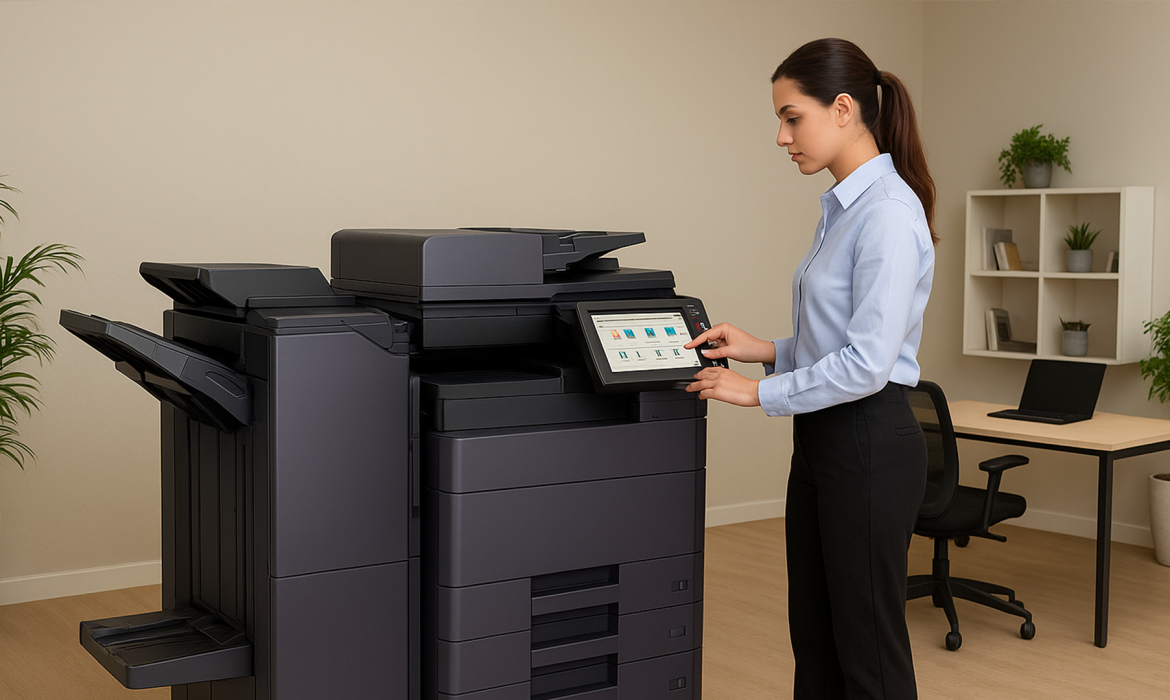
Troubleshooting Common Issues with the Kyocera Multifunction Printer
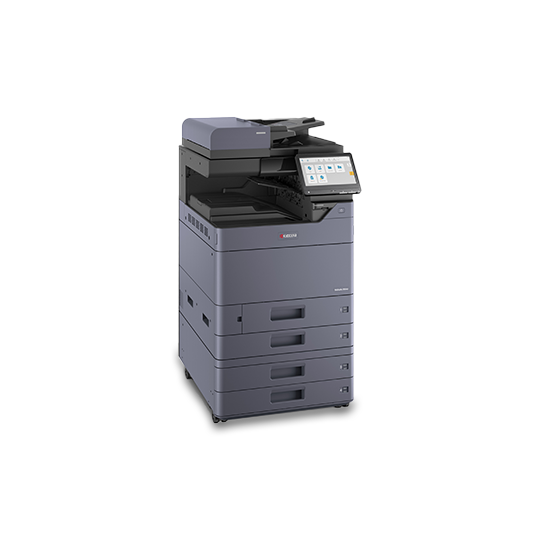
No matter what kind of office you work in, you need a reliable printing system to get things done. The Kyocera multifunction printer is known for being tough and printing well, but even the best machines can have problems.
It doesn’t matter if you’re having trouble with paper jams, connecting to the internet, or print quality; knowing how to fix things can save you a lot of time and stress.
This blog talks about common problems that people have with their Kyocera multifunction printer and gives you useful tips on how to fix them so that your printer works again.
Paper Jams and How to Fix Them
Paper jams are probably the most common and annoying problem. If your Kyocera color laser printer says there is a paper jam, the first thing you should do is turn it off and carefully take out the jammed paper. Don’t pull on the sheet too hard. Always follow the feed direction of the paper.
Look for small pieces of paper that might be stuck inside the rollers.Even a tiny piece can cause jams later on. Check that the paper size and type match what your printer says it can handle. Cleaning the feed rollers on a regular basis can also help keep this problem from happening again.
Fixing Poor Print Quality
If your prints look faded, smudged, or have streaks, it’s probably because of the toner or drum. When the toner cartridge is low or not properly seated, uneven printing can also happen with the Kyocera a3 and a4 color printers.
Gently shake the toner to spread the powder out evenly. If you see smudges, clean the drum unit and make sure you’re using toner cartridges that work with your printer.
Using toner from a third party or that has expired can lower quality and hurt parts inside. To make sure the colors are lined up correctly, always run a “Calibration” from the printer’s maintenance menu.
Network Connectivity Problems
One of the best things about the Kyocera multifunction color laser printer is that it can connect to the internet wirelessly.But sometimes network problems can stop workflows.
Check the Wi-Fi signal strength and make sure the printer is on the same network as your computer if it won’t connect.
Turn off and on both the printer and the router. Check the Ethernet cable for damage if you’re using a wired connection.
IP conflicts can sometimes make connections fail.Setting a static IP address often fixes this. Updating the printer’s firmware makes sure it works with newer networks.
Solving Slow Printing Speeds
You might need to check your settings if your Kyocera color laser printer takes a long time to print. Printing in high resolution can use up more memory and take longer. If you’re working on drafts or internal documents, try lowering the DPI.
Keep your printer drivers up to date because old software can make things run more slowly.
If a lot of people are sending big files at the same time, you might want to use print queues or set up print jobs for times when there aren’t many people around. Getting rid of old jobs that are still pending can also help things move faster.
GCG Enterprise Solutions offers comprehensive office automation services, including managed print services, digital transformation, and intelligent content automation, catering to various industries in the UAE.
(CTA)
Scanner and Copier Malfunctions
The Kyocera multifunction printer has a lot of features, so problems with the scanner or copier can happen as well. Check the scanner glass for smudges or dust if your scans are too dark or too light.Use a microfiber cloth to clean it gently.
If the copier makes lines, it might be because there is something stuck in the document feeder. You can either run a calibration on the scanner or change the brightness and contrast settings by hand. Sometimes, updating software or reinstalling drivers can fix things.
Printer Display Showing Error Codes
Kyocera printers often use numbers to show error codes that help find problems. For instance, “Error 3101” might have to do with network communication, and “Error 7403” means there is a problem with the paper feed. For definitions of codes, always look in the user manual or on Kyocera’s online support page.
After fixing the root cause, resetting the printer often fixes small problems. If you keep making mistakes, you can be sure that certified service technicians will fix them safely and correctly.
Handling Toner Recognition Errors
The printer may not always recognize a new toner cartridge.When you use fake toner in the Kyocera a3 color printer, this happens a lot. Check that the cartridge chip is clean and in the right place. After you install the device, turn it off and on again.
Using Kyocera toner that is not original will not work with your printer and will void your warranty. Update your printer’s firmware if the problem keeps happening.After a software update, it might not recognize older cartridge chips.
Fixing Duplex Printing Issues
If your printer won’t print on both sides of the page, the duplex unit might not be turned on. Go to your printer settings and check that “Duplex Printing” or “Double-sided Printing” is turned on. Also, make sure that your printer driver can handle duplex mode.
Paper jams can also happen in the middle of a process if the duplex assembly has dust on it or the rollers are worn out.Cleaning it regularly and having it serviced by a professional help keep this function working well.
When the Printer Won’t Turn On
If your Kyocera A4 color printer won’t turn on, the first thing you should do is check the basics: the power cable, the plug, and the voltage supply. Change the outlet or power cord. If the printer has a surge protector, make sure it isn’t tripped.
The printer might be in sleep mode at times.Pressing the power or energy saver button wakes it up. If your power keeps going out, it could mean that there are problems with the internal board that need a technician’s help.
Optimizing Maintenance for Long-Term Performance
The best way to fix problems is to get preventive care. Your Kyocera multifunction color laser printer will last longer if you keep it clean, use real consumables, and keep it away from dust.
Monthly maintenance checks can help you find problems before they get worse.Always make sure the firmware is up to date so you can use the newest features and security fixes.
FAQs
Why does my Kyocera all-in-one printer keep getting stuck?
Paper jams happen most of the time because the sheets aren’t lined up right or the rollers are dirty. Make sure the paper size is right and clean the rollers.
Why are my printed pages faded or have lines on them?
The drum might need cleaning, or the toner cartridge might be low. It can be fixed by shaking the toner evenly and running calibration.
How do I get my Kyocera multifunction color laser printer to connect to Wi-Fi?
Find your Wi-Fi in the printer’s network menu, type in the password, and connect.Make sure that your printer and computer are on the same network.
What should I do if my Kyocera A3 color printer doesn’t recognize the toner?
Put the cartridge back in and clean the chip area.For best results, switch to genuine Kyocera toner if you’re using non-original toner.
Why does my Kyocera A4 color printer take so long to print?
Delays can happen when files are big or prints are high resolution. Try lowering the print quality or deleting old print jobs.
Why does my Kyocera color laser printer keep showing error codes?
Every error code stands for a certain problem. Check your user manual or Kyocera’s official support page to figure out what it means and how to fix it.
What can I do to fix problems with the quality of scans on my Kyocera printer?
Make sure the scanner glass is clean and the brightness settings are right. Also, make sure your drivers are current.
Why can’t my printer connect to the network?
Check the strength of the Wi-Fi, make sure the network name is right, and restart the router. Giving an IP address a static value can help avoid problems.
What do I need to do to turn on double-sided printing?
Check your printer settings, turn on duplex mode, and make sure your driver supports it.
How can I keep my Kyocera printer working well for a long time?
To avoid big problems, use original toner, clean it often, and check it once a month.
Conclusion
The Kyocera multifunction printer is made to be reliable and work well, but like all machines, it can have technical problems. You can confidently fix these common problems, like paper jams and network issues, and cut down on downtime.
Whether you use a Kyocera a3 color printer for high-volume jobs or a Kyocera a4 color printer for everyday office tasks, basic upkeep and care can greatly increase the life of your printer. Your Kyocera color laser printer will keep giving you great results for years to come if you follow these steps and keep it clean.
9 Reasons to Switch to a Kyocera Multifunction Printer for Your Business
Businesses can’t afford to have their printing systems go down in today’s fast-paced digital world. Your office printer needs to work perfectly for everything from daily reports to marketing materials to high-quality client documents.
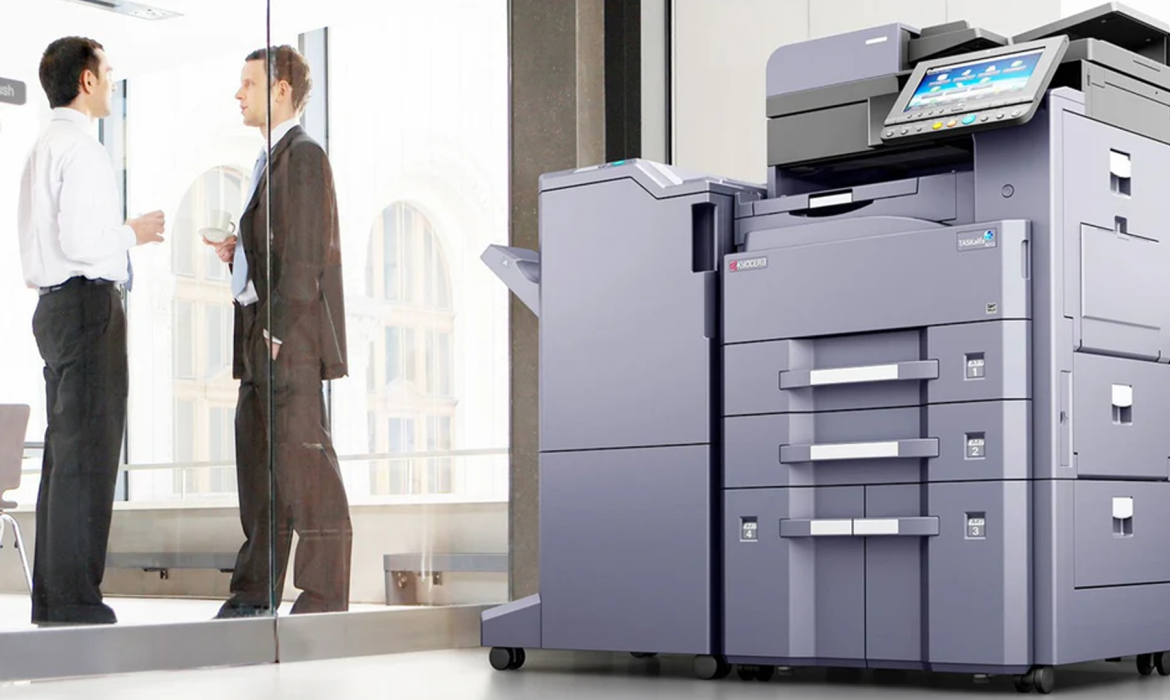
The Kyocera multifunction printer is different in that way. It is the most popular choice for businesses that want to boost productivity while keeping costs low because it is known for being reliable, efficient, and using the latest technology.
Here are nine good reasons why getting a Kyocera device could be one of the best business decisions you make this year.
All-in-One Features that Make Office Work Easier
With the Kyocera multifunction printer, you can print, scan, copy, and fax all from the same small unit. This means you don’t need to have a lot of different devices taking up space in your office.
This integration not only saves space, but it also speeds up the flow of your documents. Employees can print invoices, scan contracts, and send files directly from the machine. This cuts down on the number of steps that need to be done by hand and saves a lot of time.
This approach, which can do more than one thing, makes things run more smoothly and helps create a more connected, digital workplace.
Fast Performance For The Most Work Possible
A slow printer can be a big problem when you have a lot of work to do. The Kyocera multifunction color laser printer is made to be fast and accurate, so it can print documents that are clear and colorful in just a few seconds.
Kyocera makes sure that your output is sharp and consistent, whether you’re printing hundreds of pages for a presentation or marketing materials that need bright colors. Its high page-per-minute rate keeps your business running smoothly and makes sure that every department stays on schedule.
Great Print Quality For Professional Results
Your printed materials show off your brand, and low-quality prints can give people the wrong idea. The Kyocera color laser printer makes prints that look like they were made by a professional, with great color depth and clarity.
It uses cutting-edge toner technology to make images, graphics, and text with amazing accuracy. You’ll notice a difference in sharpness and color whether you’re making sales brochures or reports for executives. The right mix of quality and performance makes your brand stand out.
Printing That Is Good For The Environment And Lasts Long
Companies are more aware than ever of how their actions affect the environment. Kyocera is known around the world for being environmentally friendly. All of their printers use parts that last a long time and systems that use less energy.
The Kyocera multifunction printer uses very little waste toner and has modes that save energy by using less power when it’s not in use.
This not only helps the environment, but it also helps save money on running costs over time. Moving to Kyocera is not only a smart choice for productivity, but it’s also good for the environment.
Printing Options That Work For Businesses Of All Sizes
Kyocera has a model that will work for you no matter how big or small your business is. The Kyocera a3 color printer is great for businesses that need to print big things like posters or design layouts.
The Kyocera a4 color printer is better for everyday office work like letters, invoices, and internal documents. This flexibility lets businesses change the size of their printing solutions as needs change, without sacrificing quality or performance.
High-Tech Security Features To Keep Your Data Safe
Document security is a must in a time when data breaches are becoming more common. Kyocera printers have advanced security features that keep private information safe.
The Kyocera multifunction color laser printer has options for user authentication, encrypted PDF transmission, and secure print release.
This makes sure that only authorized users can access private files. Business owners can rest easy knowing that their data is safe at every stage of the document lifecycle thanks to these built-in protections.
GCG Enterprise Solutions offers comprehensive office automation services, including managed print services, digital transformation, and intelligent content automation, catering to various industries in the UAE.
(CTA)
Cost-Effectiveness That Affects The Bottom Line
One of the best things about the Kyocera color laser printer is that it is very cost-effective. Kyocera helps reduce the number of times you have to replace parts by using drums and toner cartridges; they last a lot longer than those in regular printers.
Also, because it has a low total cost of ownership, it’s a great choice for businesses that want long-term value. We say that because over time, the money you save on energy and supplies adds up to big benefits.
Easy Connectivity and Cloud Integration
Remote work is great for employees. The Kyocera multifunction printer works perfectly with cloud services like Google Drive, OneDrive, and Dropbox. This lets employees print or scan documents right from the cloud.
Similarly, wireless printing from mobile devices makes things even more flexible. This is great for hybrid work environments. Kyocera makes sure that all of your devices can handle documents safely and quickly, even if your team is in the office or working from home.
Support You Can Count On And Long-Lasting Durability
No other company in the printing business has a better reputation for dependability than Kyocera. Their printers are made with strong parts that are meant to last for years, which means less downtime and maintenance.
Both the Kyocera a3 color printer and the Kyocera a4 color printer have imaging systems that last a long time and make sure they work well even when they have a lot of work to do.
Also, Kyocera’s responsive support and easy-to-maintain design mean that your business won’t have to deal with expensive downtime. Putting money into Kyocera means putting money into long-lasting peace of mind.
FAQs
What sets the Kyocera multifunction printer apart from other printers for the office?
People know that Kyocera printers last a long time, have parts that last a long time, and don’t need a lot of maintenance. They do all three tasks—printing, scanning, and copying—in one machine while still producing great prints and being good for the environment.
Is the Kyocera multifunction color laser printer able to print a lot of pages at once?
Yes, it is made for places where a lot of printing needs to be done. It has fast print speeds and big paper trays that can hold a lot of paper, so it can keep working all the time.
Is the Kyocera A3 color printer good for graphic and design companies?
Of course. It can print in large sizes and has very good color accuracy, which makes it great for making posters, marketing materials, and creative design prints.
Can you print wirelessly with the Kyocera a4 color printer?
Yes, Kyocera’s A4 models can connect to Wi-Fi, print from mobile devices, and work with cloud services. This makes it easy to print from laptops, smartphones, and tablets.
How much energy does the Kyocera color laser printer use?
Kyocera is one of the most eco-friendly options in its class because it uses parts that save energy and smart power management features that cut down on electricity use.
What kind of upkeep does a Kyocera printer need?
Because the drum and toner systems last a long time, maintenance is not needed very often. Cleaning the printer regularly and changing the cartridge on time will keep it running well for years.
Is it possible for the Kyocera multifunction printer to work with office software?
Yes, it can work with document management systems and cloud platforms like Google Drive, Dropbox, and Microsoft OneDrive. This makes work flow more smoothly.
How safe is it to handle documents on the Kyocera multifunction color laser printer?
To keep private information safe from people who shouldn’t have it, Kyocera has built-in encryption, secure printing, and user authentication.
Is it worth it for small businesses to buy a Kyocera a4 color printer?
Yes, the A4 models are great for small and medium-sized businesses. They offer professional print quality at a low total cost of ownership, which means you’ll save money in the long run.
Where can I buy or find out more about the Kyocera color laser printer line?
Authorized Kyocera distributors and the company’s official website are the best places to find detailed product information, prices, and service support. This way, you can be sure you’re getting real products and reliable help.
Conclusion
There is more to switching to a Kyocera multifunction printer than merely an improvement. It will alter how your company works. Because Kyocera offers the finest performance. Along with that you get premium output quality, and dependability.
It is the ideal option for workplaces. When you purchase a Kyocera a3 color printer, Kyocera a4 color printer, or the adaptable Kyocera multifunction color laser printer, you are investing in long-term value. It’s time to upgrade your office printing using Kyocera’s technology.
How to Set Up Your Kyocera Multifunction Printer Like a Pro
Setting up a Kyocera multifunction printer may seem difficult, but it’s simple and quick once you know what to do.
Putting it up correctly the first time will result in the best performance, the best printing, and the most dependable service throughout time. It doesn’t matter if you’re putting it up for a corporate department, a small office, or a home office.
Starting getting it out of the box to configuring and maintaining your Kyocera multifunction printer, this article will show you how to do it like an expert.
Step 1 – Unboxing and Physical Setup
Remove the Kyocera multifunction color laser printer from the box with caution. Next, remove all of the protective covers, tape, and packaging from the machine’s exterior and interior. After that locate a suitable location for it after removing it from the box, such as a level area with adequate ventilation.
Also, make sure a power outlet is easily accessible and that there is adequate space for maintenance duties and paper trays. Avoid places with a lot of dust and direct sunshine as these can eventually degrade the printer’s performance. Lastly, before turning it on, position it and then plug it in.
Step 2 – Loading Paper and Toner
Now that the printer is set up, it’s time to load the paper. To adjust the guidelines to the size of your paper, open the main paper tray. Similarly, to prevent A4 or A3 sheets from becoming stuck, make sure the alignment is correct.
Next, remove the toner cartridges from their package and give them a gentle shake from side to side. You need to do this before inserting them into the appropriate slots if your model requires them.
With this the the toner is distributed uniformly, maintaining the same level of printing quality. Lastly, use cyan, magenta, yellow, and black toner in the appropriate locations when using a Kyocera color laser printer.
Step 3 – Powering Up and Initial Configuration
After everything is configured, switch the printer on. The initial boot may require several minutes to complete the setup process. You will then to configure the language, date, time, and region, among other basic settings. Read the directions on the screen carefully, then follow them.
Furthermore, the touchscreen interface of the printer is simple to use and speeds up setup. Once you complete the fundamentals, connect to your home network by selecting the settings option.
A wired Ethernet connection is the greatest option for reliable performanc. However, if you want more flexibility, connect to your wireless network by following the steps under Wi-Fi setup mode.
Step 4 – Installing Printer Drivers
To check if everything functions properly, install the appropriate drivers and software on your computer. The latest versions are available directly from the Kyocera website. Next, choose the operating system you use after selecting the correct model number. This can be an A3 color printer or a multifunction color laser printer from Kyocera.
Select the desired connection type (USB, Ethernet, or Wi-Fi), install the software, and then follow the directions.
The setup wizard will locate the printer on its own and complete the installation. Make sure everything has appropriate configuration by printing a test document after you’re done.
GCG Enterprise Solutions offers comprehensive office automation services, including managed print services, digital transformation, and intelligent content automation, catering to various industries in the UAE.
(CTA)
Step 5 -Configuring The Fax And Scan Features
Because of its many features, your printer is capable of more than just printing. To configure scanning, open the web interface or control panel on the printer.
Now, depending on how you operate, you can select from scan-to-cloud, scan-to-folder, or scan-to-email alternatives.
Set up the fax settings by entering your fax number, header details, and dialing method if your office still uses fax machines. Lastly, test the faxing and scanning functions to check if they are operational.
Step 6 – Connecting Cloud Services
The fact that Kyocera color laser printers are compatible with mobile devices and the cloud is one of their best features. By downloading the Kyocera print app, you can print straight from your smartphones or tablets.
Additionally, you can link the printer to online services like Dropbox, OneDrive, and Google Drive. This is great for remote because it allows you to print and scan from a distance.
Step 7 – Setting User and Security Settings
Security is mandotary in every company. Using the printer’s IP address, access the web portal to create admin passwords. You can also restrict access to select users. Also, to monitor who is using the printer, you can also add things like PIN printing,
Because the printing is safe, these features are helpful for companies that handle sensitive papers.
Step 8- Routine Maintenace and Issue Resolution
Even printers that operates without breaking down require periodic maintenance.
Regularly wipe the paper route and scanner glass with a lint-free cloth. Also, use authentic Kyocera a4 color printer supplies to prevent damages.
Consult the user manual or the printer’s on-screen troubleshooting instructions if you’re experiencing issues like paper jams. Without a professional’s assistance, the majority of issues can be resolved in a few minutes.
Step 9 – Firmware and software updates
Kyocera releases firmware updates to improve features. Download the latest firmware for your printer model from their website’s support page.
After that follow the updating instructions. Updating your system makes sure that it is functionable with new operting systems and addresses identified flaws.
Step 10 – Optimizing For Performance
If you want to get the most of your Kyocera multifunction printer, keep up a consistent pace of work. Use the appropriate paper weight. Also avoid overloading the trays, and schedule routine maintenance inspections. Your printer will last a lot longer if you take proper care of it.
The foundation of Kyocera’s design philosophy is creating long-lasting, functional products. This implies that your machine will continue to produce excellent prints for many years if you take good care of it.
FAQs
When I take my Kyocera printer out of the box, what should I do first?
Before plugging it in, remove all of the packaging, inspect it for damage, and place it on a level, open surface.
Can my Kyocera printer be configured without an Ethernet connection?
USB or Wi-Fi can be used to connect. To establish the wireless connection, use the printer’s display screen.
How can I determine the IP address of my Kyocera printer?
You can print a network status page from the printer’s menu, which displays the IP address your network assigned to the printer.
What distinguishes the Kyocera a3 color printer from the a4 model?
Design or engineering prints benefit greatly from the A3 model’s ability to handle larger paper sizes up to A3. For regular workplace documents, the A4 format is more suitable due to its lower size.
How can I link my tablet or phone to the printer?
Make sure both devices are on the same network, download the Kyocera Mobile Print app, and select your printer from the list.
What’s causing my printer to fail to recognize the correct paper size?
Make sure you select the correct size on your PC and in the printer settings. Examine the instructions for the paper tray.
What can I do to prevent unauthorized users from using my printer?
Only allow trustworthy devices to access the network, demand users to check in, and set a password for the admin account.
Can I scan directly to the cloud or email?
Through Kyocera Cloud Connect features via the printer’s online interface, you can configure scan-to-cloud and scan-to-email options.
What is the frequency of firmware updates?
Check for firmware upgrades every few months or whenever Kyocera publishes a new version to ensure your device is operating at peak performance.
If my printer alerts me too quickly that the toner is low, what should I do?
If the issue persists, carefully remove the cartridge and shake it to distribute the toner uniformly. Get a genuine Kyocera toner if it still doesn’t work.
Conclusion
Setting up your Kyocera multifunction printer like a pro doesn’t require you to be a tech guru. All you need to do is pay attention to the little things and do it well. It performs better at every stage, from opening the box and installing drivers to connecting to cloud and mobile platforms.
The objective is always the same it doesn’t matter which Kyocera multifunction color laser printer you are using to print or scan. You will have a trustworthy coworker who works like a pro every day if you properly follow these procedures.
9 Industries That Benefit Most from Kyocera A3 Multifunctional Printers
Every industry, from real estate and banking to healthcare and education, requires high-performance printers to remain productive and professional. That’s why many companies are looking for a reliable printer like Kyocera A3 multifunctional printers.
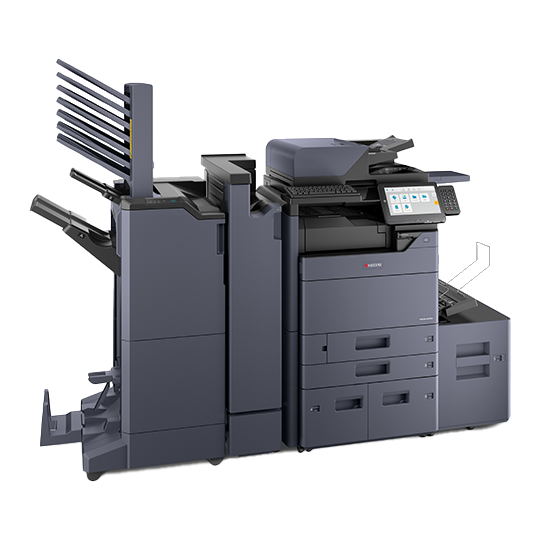
These printers are capable of handling a large volume of work and are strong. They have a single device that can print, scan, copy, and fax. You can print detailed financial reports or brochures. The Kyocera A3 color printer is a powerful machine for producing high-quality printouts.
Let’s examine the nine sectors that benefit the most from these cutting-edge multipurpose systems and how they are revolutionizing daily operations.
Education
Two of the largest consumers of printed goods are educational institutions. For everything from student reports and event posters to course outlines and worksheets, schools and colleges require dependable, large-volume printing.
With the speed and efficiency of the Kyocera A3 multipurpose printers, educators may print hundreds of pages without constantly monitoring them.
In order to protect student information and private papers like report cards, they also contain secure print options.
For schools in competitive academic hubs, such as those comparing gadgets and examining the cost of the Kyocera A3 color printer, this solution is excellent for long-term use.
Real Estate
Your appearance is crucial when it comes to real estate. Your floor plans, fliers, and brochures should all appear polished, well-lit, and professional.
Kyocera A3 multipurpose printers can help with it. When agents are able to print large, borderless photos with accurate colors, they may rapidly wow clients.
With a Kyocera printer Dubai model, a real estate firm may quickly and easily create marketing materials, legal documents, and property listings on demand.
In addition to saving money, this expedites the marketing process, which is crucial in real estate markets that move quickly.
Healthcare
Medical facilities, clinics, and hospitals handle a large volume of paperwork, prescriptions, and patient information on a daily basis.
Safety and precision are paramount in this industry. Advanced security measures on the Kyocera A3 multifunction printers protect sensitive medical data while it is being printed and scanned.
Additionally, they are compatible with digital patient management systems, which facilitates staff digitization and document security.
What took place? a simplified, paperless process that reduces staff errors and saves time—two critical factors in healthcare environments.
Legal Support
For law firms to succeed all legal documents, including case files and contracts, must be confidential.
There are no delays in preparing for court because the Kyocera A3 color printer prints a large number of documents .
Furthermore, because of its safe printing and user authentication capabilities, attorneys may rest easy knowing that their confidential documents won’t end up in the wrong hands. .
GCG Enterprise Solutions offers comprehensive office automation services, including managed print services, digital transformation, and intelligent content automation, catering to various industries in the UAE.
Banking and Finance
Banks and other financial organizations must deal with accurate and confidential reports, statements, and compliance paperwork.
The strongest data encryption in the industry is found in the Kyocera A3 multifunction printers, protecting your sensitive financial data.
They are also excellent for large printing tasks, including audit reports, policy manuals, and monthly account summaries, because of their excellent performance.
Banks that utilize Kyocera printers in Dubai appreciate how they are dependable, quick, energy-efficient, and inexpensive to operate.
Engineering and Architecture
The most crucial element when it comes to engineering plans or building blueprints is clarity.
Professionals in these sectors utilize Kyocera A3 multipurpose printers because of their superior color accuracy and resolution.
Businesses can print technical drawings, proposals, and intricate designs in their own workplaces because the printers can handle A3-sized paper without any issues. When you have a lot of work to do, this is a terrific way to save time.
Public Sector and the Government
Government offices deal with thousands of pages of documents every day, including citizen forms, policy documents, reports, and memos. You need a reliable printer to keep everything functioning properly.
Even though they must operate constantly, the Kyocera A3 multifunction printers are incredibly robust with reasonable pricing.
These printers come with built-in security and central administration, which fulfill the demands of public offices looking to save expenses.
For organizations considering long-term productivity, the Kyocera A3 color printer’s pricing strikes a fantastic mix between green and performance.
Marketing and Advertising
Color quality has a huge influence on first impressions in creative domains like marketing and advertising.
The Kyocera A3 color printer is a premier choice of designers and marketers who want to create vivid, striking graphics for presentations, campaigns, and proposals.
These printers print fast, have excellent color control, and produce extremely high-quality images. Because of this, every project looks professional.
Purchasing a Kyocera printer Dubai model for marketing companies in the United Arab Emirates not only improves print quality but also enables you to access local assistance and supplies.
Corporate Offices
Every division of a business, from operations to human resources, needs efficient document management. The Kyocera A3 multifunctional printers simplify the process by combining multiple devices into one.
The ability to print, scan, and distribute data directly from the device facilitates collaboration and reduces downtime.
It is the ideal option for busy companies because of its straightforward touchscreen interface, energy efficiency, and dependability.
Businesses can save time, money, and generate professional results by printing internal notes and annual reports on a single machine.
FAQs
What distinguishes Kyocera A3 multipurpose printers from those of other manufacturers?
Because they use eco-friendly technology, have sophisticated security, print swiftly, and are inexpensive to operate, they are ideal for many kinds of enterprises.
Can documents with a lot of text and images be printed on a Kyocera A3 color printer?
Yes, it consistently produces excellent text, graphics, and full-color photos.
In comparison to other printers, is the Kyocera A3 color printer reasonably priced?
Yes, without a doubt. It is a wise decision because it ultimately results in lower maintenance and toner expenses.
Are Dubai-based Kyocera printers suitable for small businesses?
Indeed, they are available in a variety of versions designed to accommodate both small and large enterprises.
How environmentally friendly are Kyocera A3 multipurpose printers?
They make use of long-lasting parts, energy-efficient modes, and recyclable materials, all of which benefit the environment.
Can I use a Kyocera A3 color printer to print straight from my phone?
Wi-Fi, AirPrint, and other mobile printing technologies are supported by Kyocera.
Which industries make the most use of Kyocera printer Dubai solutions?
The industries with the highest user counts in Dubai and the UAE are marketing, finance, real estate, healthcare, and education.
Are there any unique maintenance requirements for Kyocera A3 multifunction printers?
No, they require less upkeep than other brands and are built to last.
How secure are Kyocera A3 multipurpose printers for critical documents?
They employ user identification, data encryption, and secure print release to safeguard private files.
Where in Dubai can I find the best deal on a Kyocera A3 color printer?
Authorized Kyocera distributors and service providers offer the best prices, warranties, and support in Dubai.
Conclusion
From corporate offices to classrooms, Kyocera A3 multifunctional printers are changing document management.
They are strong because they can handle many tasks in a single system, such as scanning big files, printing drawings in vibrant colors.
Purchasing a Kyocera printer Dubai model is more than simply a purchase if you want your company to function better, more effectively, and with less waste.
10 Reasons to Upgrade to Kyocera A3 Multifunction Printers in 2025
Kyocera a3 multifunction printers are one of the best things a business can acquire to help them find the right mix between productivity, cost-effectiveness, and reliability in today’s offices.
These machines can do more than just print; they can also copy, scan, and fax, making them a strong all-in-one option.
If you know how to use your Kyocera device to its fullest, it will operate better and survive longer, whether you run a small team or a major organization.
Whether you have a Kyocera multifunction colour laser printer, an A3 or A4 model, or are looking at options from renowned Kyocera printer dealers in the UAE, this blog post includes ten professional recommendations that will help you get the most out of your investment.
Choose the Right Model for Your Office
The first step to ensuring your workplace works well is to get the correct printer.
A Kyocera A3 colour printer is the best choice for businesses who need to print big things. A Kyocera A4 colour printer is a good choice for small offices that simply need to print documents every day.
You can be confident that the device will operate well with your workflow if you know how much you print, what size paper you need, and what features you want.
Set The Optimal Print Settings To Save Money
Most businesses don’t know how much money they may save simply altering their printer settings. By turning on duplex printing, setting draft quality for internal documents, and making black-and-white the default when colour isn’t needed, you can save money with a Kyocera colour laser printer. Over time, these tiny changes add up to reducing printing costs without lowering quality.
Take Advantage Of Powerful Scanning Features
Scanning is one of the best things about Kyocera a3 multifunction printers that people don’t talk about enough. Businesses don’t need to buy a separate scanner; they can digitize papers immediately away, store them in shared folders, or send them right away.
This feature is quite helpful for Dubai firms who need to keep track of things and follow the rules. It also cuts down on the requirement for outside storage systems.
Make Sure Your Drivers And Firmware Are Always Up To Date
To obtain the best security patches and performance increases, always keep your printer’s firmware and drivers up to date.
If you acquired your Kyocera printer from a Dubai dealer like GCG or a local dealer, you need to keep it up to date so that it functions well with new office software and networks. Cloud-based printing solutions are also easier to use when they get regular upgrades.
Get smarter about printing by working with GCG
GCG is one of the greatest tech businesses in the UAE. They focus on making workplace solutions that work well and are good for the environment. We know a lot about Kyocera products, so we can help you pick the right ones. Furthermore, we can set them up, and maintain them running so your business can keep expanding.
(CTA)
Print From Your Phone And The Cloud
These days, more people than ever are working from home. That’s why a Kyocera multifunction colour laser printer provides features like cloud connectivity and mobile print apps that make it easy for employees to print safely from their phones or tablets.
This flexibility makes it easier for individuals to work together. The work you do can carry on without delays, no matter where your team members are.
Use Print Management Software To Keep Track Of How Much You Use
It is very crucial that Kyocera devices come with software tools that help keep track of and control consumption.
Businesses in the UAE that acquire devices from Kyocera printer dealers commonly utilize these features to keep track of who is printing what, establish limits on users, and produce reports. This strategy stops waste, encourages accountability, and uses resources in the best way possible.
Schedule Preventive Maintenance
Just like any other corporate asset, printers need regular care. If you’ve checked up the price of a new Kyocera printer in the UAE recently, you know that these printers are worth the money.
Cleaning the internal parts, checking the toner levels, and servicing the moving parts are all examples of routine maintenance that keeps them from breaking down and makes them last longer. A lot of businesses in Dubai that service Kyocera printers also offer maintenance plans to keep your mind at ease.
Use Genuine Consumables
The parts and toner you use have a big effect on the quality of your work. Real consumables will keep your Kyocera a3 colour printer or Kyocera a4 colour printer printing clearly and consistently without damaging the parts within.
At first, fake materials could appear like a fantastic price, but they usually cause issues, lower quality, and cost more in the long run.
Show Workers How to Use It Correctly
Even the best Kyocera colour laser printer won’t perform well if your workforce doesn’t know how to utilize it. Teaching workers how to fix simple problems, load paper correctly, and use sophisticated functions like scanning and duplexing saves on downtime and increases productivity.
When businesses buy printers from a number of Kyocera printer distributors in Dubai, they offer training for new staff.
Plan For Growth
You will need to print more as your firm grows. If you plan ahead, you won’t have to buy new devices as regularly.
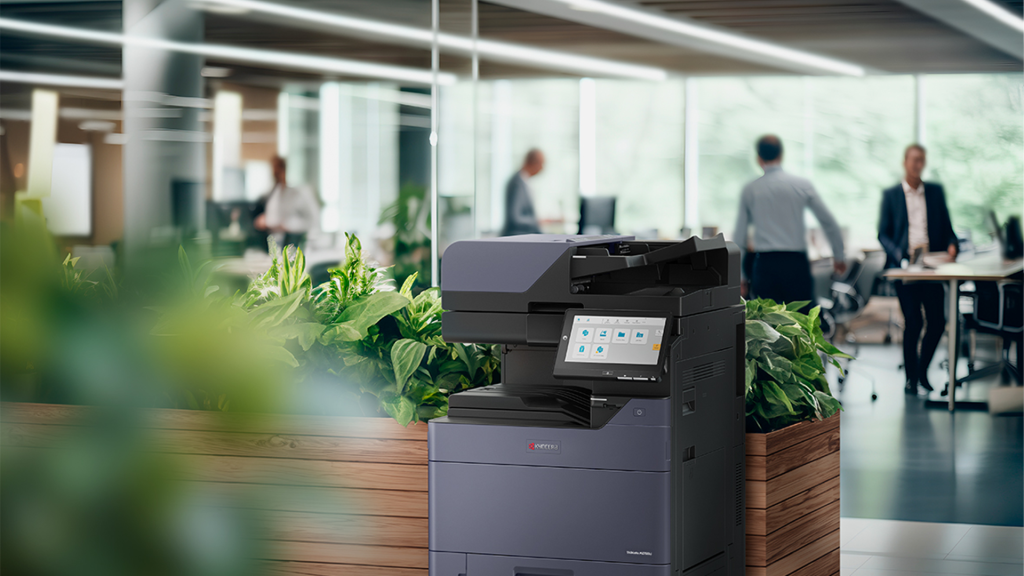
If you know how much the Kyocera a3 colour printer costs or how much it will cost to acquire a model with greater memory, you can better manage your budget. Scalable solutions make sure that your printing setup can alter without too many hassles.
FAQs
What makes Kyocera multifunction printers different from other brands?
Kyocera focuses on making goods that endure a long time and are cheap to run. Their products are built with parts that endure a long time, so you don’t have to replace them as often.
Is a Kyocera multifunction colour laser printer a decent choice for offices that do a lot of printing?
Yes, it can do a lot of work quickly and easily because it prints swiftly, has amazing colour output, and has advanced workflow tools.
Where can I discover reliable Kyocera printer vendors in the UAE?
There are a number of authorized dealers in the UAE who sell actual products, give warranties, and provide after-sales care to protect your investment.
How does the pricing of the new Kyocera printer in the UAE stack up against other brands?
Kyocera printers are not too expensive, and they often have a reduced total cost of ownership because they use less energy and have parts that last a long time.
Should I buy a Kyocera colour printer in A4 or A3 size?
If you require a lot of posters, massive diagrams, or wide-format prints, an A3 model is the best choice for your business. A4 models are good enough for paperwork you use every day.
How often do I need to clean my Kyocera colour laser printer?
Every six months of preventative maintenance is a good idea. It depends on how often you use it. Regular maintenance helps things work easily while lowering the chance of them breaking down.
Is there a huge difference in pricing between an A4 colour printer and an A3 colour printer?
Yes, A3 printers are normally more expensive because they can print more pages and work with bigger files. However, for businesses that require these things, the cost is worth it.
Can I buy Kyocera printer models directly from wholesalers in Dubai?
Yes, many authorized retailers and distributors in Dubai like GCG have a wide choice of models. They also have accessories, and supplies for both commercial and personal use.
How can a Kyocera printers dealer in Dubai help me?
To make sure your business functions effectively and doesn’t have to stop working for long, distributors normally offer installation, training, supplies, technical support, and warranties.
How can I make my Kyocera multifunction printers last longer?
Using real supplies, scheduling regular maintenance, updating the firmware, and training your team are all things you can do to help your equipment last a lot longer.
Conclusion
You need to know how to use all of your Kyocera a3 multifunction printers’ functions. You also need to keep them in good shape so they integrate well with your office’s workflow.
Also, these professional suggestions can help you save money, get more done, and keep your Kyocera multifunction colour laser printer, whether it’s an A3 or A4 model, functioning well for a long time. You should have bought it from a trusted Kyocera printers dealer in the UAE like GCG.
If you take care of your Kyocera device, train it, and plan how to use it, it can do more than just print. It can turn into a strategic instrument that makes your firm work more smoothly.
10 Expert Tips for Getting the Most Out of Kyocera Multifunction Printers
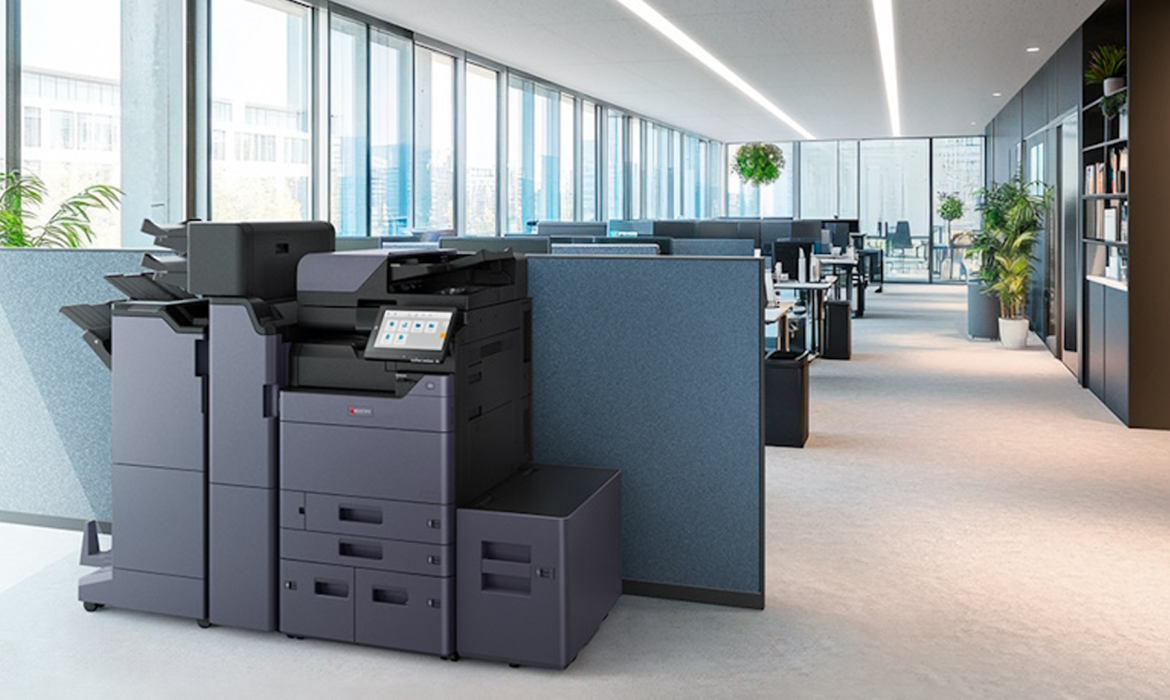
Kyocera multifunction printers are one of the best things a business can acquire to help them find the right mix between productivity, cost-effectiveness, and reliability in today’s offices.
These machines can do more than just print; they can also copy, scan, and fax, making them a strong all-in-one option.
If you know how to use your Kyocera device to its fullest, it will operate better and survive longer, whether you run a small team or a major organization.
Whether you have a Kyocera multifunction colour laser printer, an A3 or A4 model, or are looking at options from renowned Kyocera printer dealers in the UAE, this blog post includes ten professional recommendations that will help you get the most out of your investment.
Choose the Right Model for Your Office
The first step to ensuring your workplace works well is to get the correct printer.
A Kyocera A3 colour printer is the best choice for businesses who need to print big things. A Kyocera A4 colour printer is a good choice for small offices that simply need to print documents every day.
You can be confident that the device will operate well with your workflow if you know how much you print, what size paper you need, and what features you want.
Set The Optimal Print Settings To Save Money
Most businesses don’t know how much money they may save simply altering their printer settings. By turning on duplex printing, setting draft quality for internal documents, and making black-and-white the default when colour isn’t needed, you can save money with a Kyocera colour laser printer.
Over time, these tiny changes add up to reducing printing costs without lowering quality.
Take Advantage Of Powerful Scanning Features
Scanning is one of the best things about Kyocera multifunction printers that people don’t talk about enough. Businesses don’t need to buy a separate scanner; they can digitize papers immediately away, store them in shared folders, or send them right away.
This feature is quite helpful for Dubai firms who need to keep track of things and follow the rules. It also cuts down on the requirement for outside storage systems.
Make Sure Your Drivers And Firmware Are Always Up To Date
To obtain the best security patches and performance increases, always keep your printer’s firmware and drivers up to date.
If you acquired your Kyocera printer from a Dubai dealer or a local dealer, you need to keep it up to date so that it functions well with new office software and networks. Cloud-based printing solutions are also easier to use when they get regular upgrades.
Get smarter about printing by working with GCG
GCG is one of the greatest tech businesses in the UAE. They focus on making workplace solutions that work well and are good for the environment. We know a lot about Kyocera products, so we can help you pick the right ones. Furthermore, we can set them up, and maintain them running so your business can keep expanding.
(CTA)
Print From Your Phone And The Cloud
These days, more people than ever are working from home. That’s why a Kyocera multifunction colour laser printer provides features like cloud connectivity and mobile print apps that make it easy for employees to print safely from their phones or tablets.
This flexibility makes it easier for individuals to work together. The work you do can carry on without delays, no matter where your team members are.
Use Print Management Software To Keep Track Of How Much You Use
It is very important that Kyocera devices come with software that helps keep track of and control consumption.
Businesses in the UAE that acquire devices from Kyocera printer dealers commonly utilize these features to keep track of who is printing what, establish limits on users, and produce reports. This strategy stops waste, encourages accountability, and uses resources in the best way possible.
Schedule Preventive Maintenance
Just like any other corporate asset, printers need regular care. If you’ve checked up the price of a new Kyocera printer in the UAE recently, you know that these printers are worth the money.
Cleaning the internal parts, checking the toner levels, and servicing the moving parts are all examples of routine maintenance that keeps them from breaking down and makes them last longer. A lot of businesses in Dubai that service Kyocera printers also offer maintenance plans to keep your mind at ease.
Use Genuine Consumables
The parts and toner you use have a big effect on the quality of your work. Real consumables will keep your Kyocera a3 colour printer or Kyocera a4 colour printer printing clearly and consistently without damaging the parts within.
At first, fake materials could appear like a fantastic price, but they usually cause issues, lower quality, and cost more in the long run.
Show Workers How to Use It Correctly
Even the best Kyocera colour laser printer won’t perform well if your workforce doesn’t know how to utilize it. Teaching workers how to fix simple problems, load paper correctly, and use sophisticated functions like scanning and duplexing saves on downtime and increases productivity.
When businesses buy printers from a number of Kyocera printer distributors in Dubai, they offer training for new staff.
Plan For Growth
You will need to print more as your firm grows. If you plan ahead, you won’t have to buy new devices as regularly.
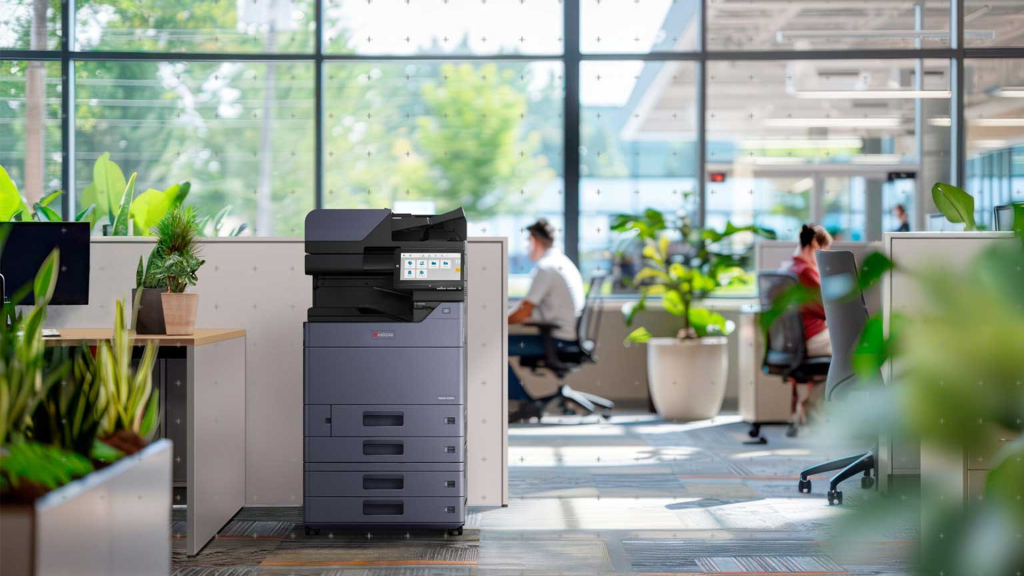
If you know how much the Kyocera a3 colour printer costs or how much it will cost to acquire a model with greater memory, you can better manage your budget. Scalable solutions make sure that your printing setup can alter without too many hassles.
FAQs
What makes Kyocera multifunction printers different from other brands?
Kyocera focuses on making goods that endure a long time and are cheap to run. Their products are built with parts that endure a long time, so you don’t have to replace them as often.
Is a Kyocera multifunction colour laser printer a decent choice for offices that do a lot of printing?
Yes, it can do a lot of work quickly and easily because it prints swiftly, has amazing colour output, and has advanced workflow tools.
Where can I discover reliable Kyocera printer vendors in the UAE?
There are a number of authorized dealers in the UAE who sell actual products, give warranties, and provide after-sales care to protect your investment.
How does the pricing of the new Kyocera printer in the UAE stack up against other brands?
Kyocera printers are not too expensive, and they often have a reduced total cost of ownership because they use less energy and have parts that last a long time.
Should I buy a Kyocera colour printer in A4 or A3 size?
If you require a lot of posters, massive diagrams, or wide-format prints, an A3 model is the best choice for your business. A4 models are good enough for paperwork you use every day.
How often do I need to clean my Kyocera colour laser printer?
Every six months of preventative maintenance is a good idea. It depends on how often you use it. Regular maintenance helps things work easily while lowering the chance of them breaking down.
Is there a huge difference in pricing between an A4 colour printer and an A3 colour printer?
Yes, A3 printers are normally more expensive because they can print more pages and work with bigger files. However, for businesses that require these things, the cost is worth it.
Can I buy Kyocera printer models directly from wholesalers in Dubai?
Yes, many authorized retailers and distributors in Dubai like GCG have a wide choice of models. They also have accessories, and supplies for both commercial and personal use.
How can a Kyocera printers dealer in Dubai help me?
To make sure your business functions effectively and doesn’t have to stop working for long, distributors normally offer installation, training, supplies, technical support, and warranties.
How can I make my Kyocera multifunction printers last longer?
Using real supplies, scheduling regular maintenance, updating the firmware, and training your team are all things you can do to help your equipment last a lot longer.
Conclusion
You need to know how to use all of your Kyocera multifunction printers’ functions. You also need to keep them in good shape so they integrate well with your office’s workflow.
Also, these professional suggestions can help you save money, get more done, and keep your Kyocera multifunction colour laser printer, whether it’s an A3 or A4 model, functioning well for a long time. You should have bought it from a trusted Kyocera printers dealer in the UAE like GCG.
If you take care of your Kyocera device, train it, and plan how to use it, it can do more than just print. It can turn into a strategic instrument that makes your firm work more smoothly.